
Instant Cashouts

How it works
- Go to your ‘Earnings’ pageOpen your Freenow driver app, tap on the menu (three lines) and then tap ‘Earnings’.
- Open your BalanceFrom ‘Earnings’, tap on the ‘Balance’ tab. You’ll see your current balance after commission.
- Cashout
Tap ‘Cashout’ to withdraw your current balance. You’ll see how many available cashouts you have.
- ConfirmClick ‘Confirm’ to start the Instant Cashout process.
- See the statusSee the status of your cashout at any time. Depending on your bank, this may take up to 2 days to appear.
- Go to your ‘Earnings’ pageOpen your Freenow driver app, tap on the menu (three lines) and then tap ‘Earnings’.
- Open your BalanceFrom ‘Earnings’, tap on the ‘Balance’ tab. You’ll see your current balance after commission.
- Cashout
Tap ‘Cashout’ to withdraw your current balance. You’ll see how many available cashouts you have.
- ConfirmClick ‘Confirm’ to start the Instant Cashout process.
- See the statusSee the status of your cashout at any time. Depending on your bank, this may take up to 2 days to appear.
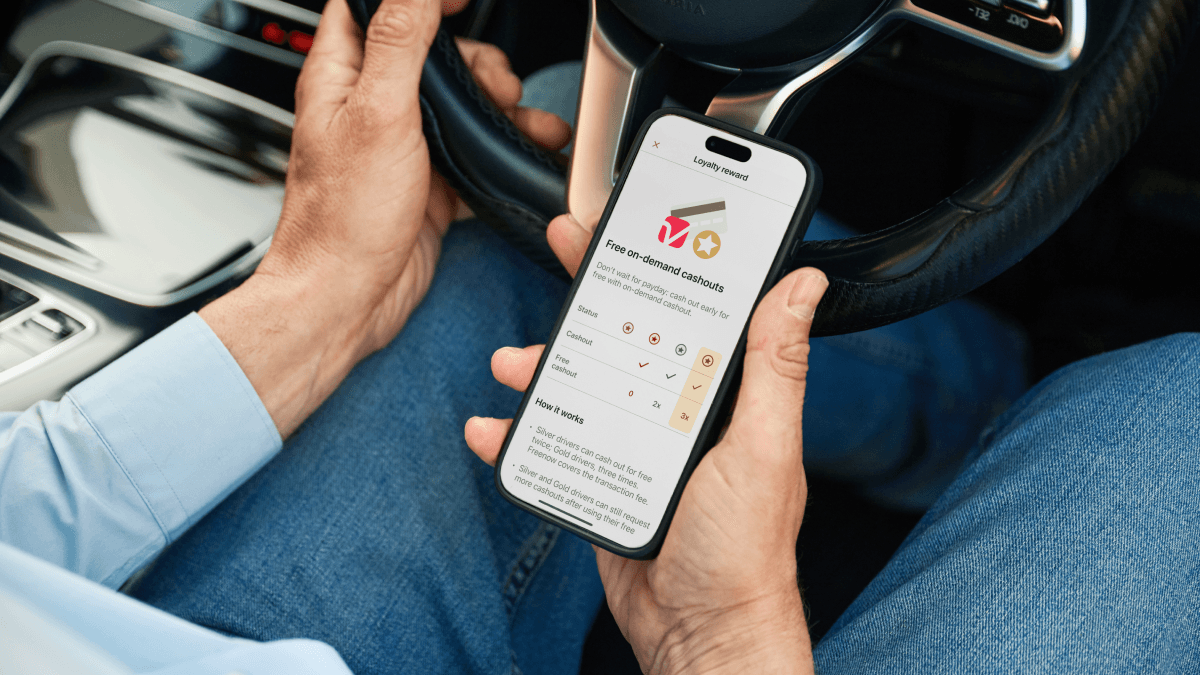
Don't wait for payday: cash out
Gold drivers get two cashouts each month, Silver drivers get one. Freenow covers the transaction fee.
Bronze and Standard drivers currently don't have access.
Got questions about Instant Cashouts?
What is Instant Cashout?
Who can use Instant Cashout?
Instant Cashout is currently available to drivers with Gold or Silver loyalty status.
• Gold drivers get 2 cashouts per month
• Silver drivers get 1 cashout per month
Why don’t I have access to Instant Cashout?
If you're Gold or Silver ensure your app is updated. If you're a Bronze or Standard driver, this option isn't available yet. We understand this can be frustrating if you work part-time or in quieter areas. We're actively working to make our Loyalty programme fair and accessible, and exploring more ways to support all drivers, whatever your schedule or location.
How do I use Instant Cashout?
1. Go to your ‘Earnings’ page.
2. Tap the ‘Balance’ tab.
3. Select ‘Cashout’.
The option will appear if you qualify.
How can I unlock Instant Cashout?
To unlock Instant Cashout, reach at least Silver loyalty status. Higher tiers get monthly cashouts. Learn how to improve your loyalty status here.
How can I know the status of my cashout?
How much money can I cash out?
Where is my cashout?
There are a few reasons why your cashout might be delayed:
• Bank processing: Banks may take time to post the transfer, especially outside of business hours or on holidays.
• Technical issues: Incorrect or recently changed bank details, or technical glitches, can cause a delay or rejection. Check your app's Earning page for any notifications.
To avoid delays, we recommend:
• Always double-check your bank details in the app.
• Don't change your bank details right before cashing out, as updates can take up to 72 hours.
• Try to avoid cashing out on weekends or bank holidays.
If your cashout still hasn't arrived after five business days, please contact your bank directly.